Skills, MCP Servers & Knowledge Bases
Beyond the AI model itself, Kaiden agents can be equipped with three types of additional capability: Skills, MCP Servers, and Knowledge Bases. Together they determine what the agent knows and what tools it can use.
Agent Skills
Skills are instructions you define to give an agent consistent behavior for a specific domain or task type. A skill adds a structured block to the agent's system prompt — describing conventions, constraints, or domain knowledge — so you don't have to repeat the same instructions across every sandbox.
How skills are discovered
Each skill is a folder containing a SKILL.md file. Kaiden scans multiple locations at startup to build its skill library:
Kaiden's own skills directory — the primary location for skills you create inside Kaiden:
- Linux:
~/.local/share/kaiden/skills/ - macOS:
~/Library/Application Support/kaiden/skills/ - Windows:
%APPDATA%\kaiden\skills\
Claude Code skills (~/.claude/skills/) — Kaiden's Claude extension automatically scans this directory. Any skills you've already created with Claude Code appear in Kaiden's skill library with a "Claude" badge. No import step needed.
You can also register skills from any other location on your machine — Kaiden stores a reference to the folder path without copying it.
How skills reach agents inside the sandbox
When you create a sandbox, Kaiden copies the selected skills into the location the agent expects inside the sandbox environment. Each agent has its own conventions:
| Agent | Skills destination (inside sandbox) |
|---|---|
| Claude Code | ~/.claude/skills/ |
| Cursor CLI | ~/.cursor/skills/ |
| Goose | ~/.agents/skills/ |
| GitHub Copilot | ~/.copilot/skills/ |
| Gemini CLI | ~/.gemini/skills/ |
| Codex | ~/.agents/skills/ |
You manage skills in one place in Kaiden; the right files land in the right location for whichever agent is running.
The SKILL.md format
A SKILL.md file has a YAML frontmatter block followed by the skill instructions in plain markdown:
---
name: my-skill-name
description: What this skill does (shown in the UI)
---

The instructions injected into the agent's system prompt go here.
You can include conventions, domain knowledge, rules, or any
context the agent should always have when this skill is active.
Naming rules (enforced at creation time):
- Lowercase letters, numbers, and hyphens only — e.g.
code-review,api-conventions - Maximum 64 characters
- Cannot contain
claudeoranthropic
Creating a skill
Click + New Skill from the Skills page to create one through the UI. Kaiden writes the folder and SKILL.md into the skills data directory automatically. You can also drop a skill folder directly into the directory or register an external folder path.
Examples of what teams put in skills:
- Coding conventions: "always write tests for new functions", "prefer functional patterns", "never modify lock files"
- Domain knowledge: context about your internal APIs, architecture decisions, or deployment conventions
- Safety rules: "never push directly to main", "always confirm before deleting files"
Using skills
Once created, a skill can be enabled as a default — meaning every new sandbox automatically gets it — or attached selectively per sandbox at creation time. Skills are cumulative: an agent with multiple skills active gets all of their instructions combined.
MCP Servers
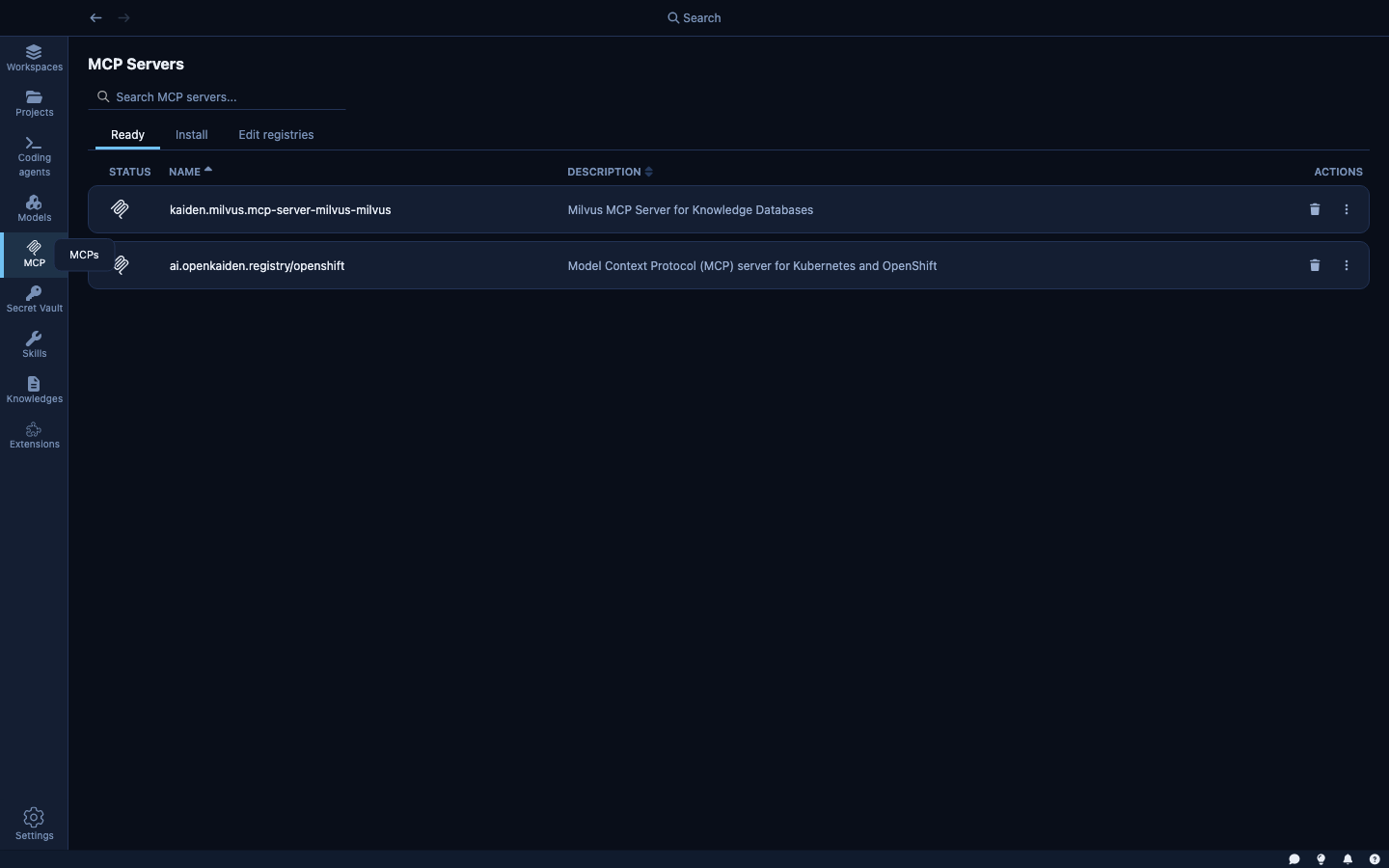
MCP (Model Context Protocol) servers are external processes that the agent can call as tools. They extend the agent with capabilities that go beyond text generation — real-time access to systems, APIs, and data sources.
Default registry
Kaiden ships with a pre-configured MCP registry (openkaiden/mcp-registry-online) that makes a curated set of servers available to install immediately. The current registry includes:
| Server | Description |
|---|---|
| GitHub | GitHub's official MCP Server |
| Atlassian | Connects Jira and Confluence |
| Fetch | Fetch and convert web content for LLMs |
| Grafana | Grafana observability platform |
| Linux | Interact with Linux systems remotely |
| Notion | Official Notion MCP Server |
| OpenShift | Kubernetes and OpenShift cluster operations |
| Playwright | Browser automation using accessibility snapshots |
| Podman | Container runtime operations (Podman and Docker) |
Installing MCP servers
The Install tab shows MCP servers available from the registry. Select a server, configure any required credentials, and install it. The Edit registries tab lets you add private registries — your organization's internal MCP server catalog.
MCP servers inside the sandbox
MCP servers run inside the sandbox alongside the agent. They inherit the same network policy — an MCP server can only reach the hosts the sandbox allows, using the credentials the sandbox has. This prevents an MCP server from becoming a lateral-movement path: even if a malicious MCP server tries to call an unexpected host, the sandbox blocks it.
Knowledge Bases
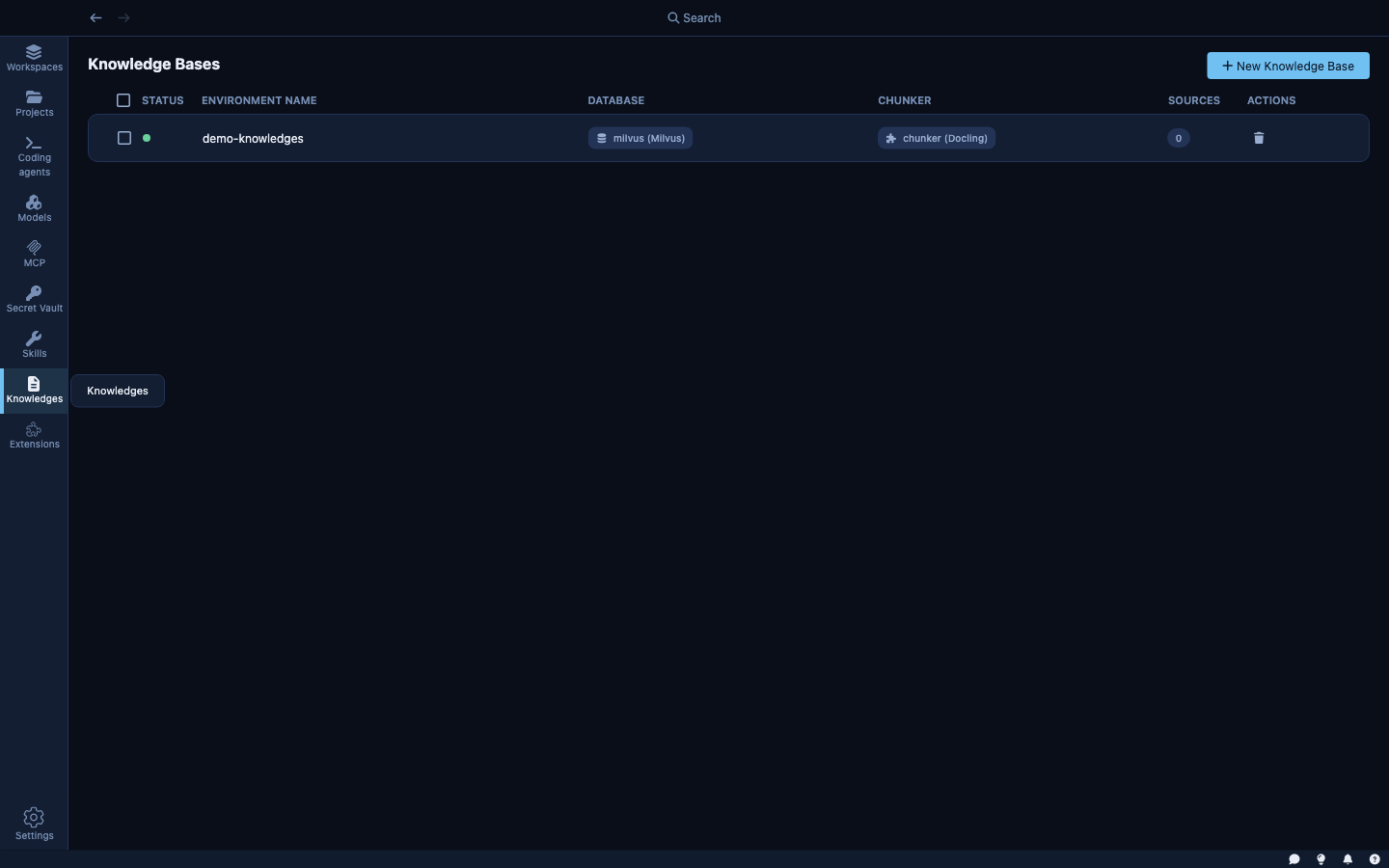
Knowledge Bases are vector databases that give the agent retrieval memory — documentation, internal wikis, API references, or any corpus of text you want the agent to search.
Creating a knowledge base
Click + New Knowledge Base to create one. You provide:
- A name and description
- Which database to use (Milvus or ChromaDB)
- Which chunker to use (Docling for PDFs and structured documents, HF Sentence Transformers for prose)
- Source documents (local files, URLs, or a directory)
Kaiden indexes the sources asynchronously. Once indexed, attach the knowledge base to a sandbox so the agent can search it with natural language queries.
Knowledge bases and the sandbox
When a knowledge base is attached to a sandbox, the agent can search it directly. The search happens through Kaiden's internal routing — the agent doesn't need network access to the database host. The sandbox's network policy doesn't need to be updated to allow the database address.
Combining them
Skills, MCP servers, and knowledge bases compound. For a team working on a Kubernetes-based platform, for example:
- A skill encodes your team's conventions — which resources are managed by which team, naming conventions, rollback rules.
- An MCP server gives the agent live tools to query the running cluster.
- A knowledge base indexes your internal runbooks and architecture docs.
Together, the agent can answer "why is this deployment failing?" by combining its instructions, live cluster state, and your internal documentation — all from inside a secured sandbox.